DQO Blind Spot-Free Series Safety Light Curtain Wiring Guide: Standard Connection Method for Dual-Side 7-Core Cable
In high-end automated manufacturing, compact equipment space imposes stringent demands on sensor installation. DAIDISIKE's DQO Blind Spot-Free Series achieves zero sensing dead zones across the entire light curtain length through its unique structural design, significantly enhancing safety protection integrity. To ensure the DQO Series' ultra-fast 0.01-second response performance, correct wiring of the dual-side 7-core cable is critical.
How Does a Safety Light Curtain Work?
I. DQO Series 7-Core Cable Color Definitions (Pin Definitions)
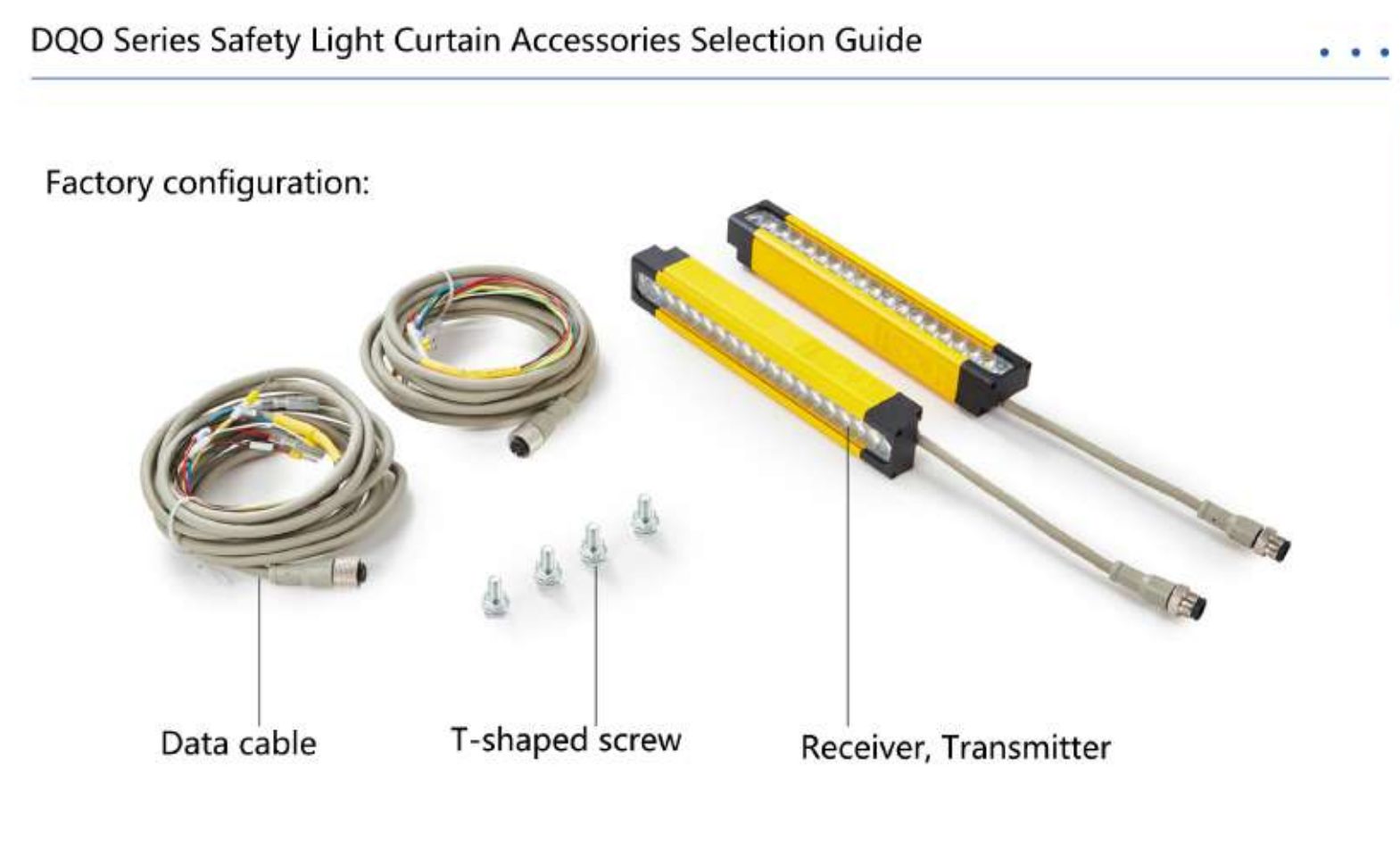
The DQO series utilizes a highly flexible 7-core aviation cable. Compared to standard 5-core cables, it offers richer signal interactions (such as dual OSSD outputs or enhanced synchronization signals).
| Cable Color | Signal Definition | Function Description |
|---|---|---|
| Brown | +12~24VDC | Power Positive |
| Blue | 0V / GND | Power Negative |
| Black | CP (Control Signal) | Synchronization signal line between transmitter and receiver |
| White | OSSD 1 | Safety Output Signal 1 (Connects to safety relay) |
| Green | OSSD 2 | Safety Output Signal 2 (Redundant output, enhanced safety level) |
| Red | CE (Communication Enhancement) | Status feedback or synchronization enhancement signal |
| Yellow/Gray | GND/Shield line | Suppresses interference, connects to shielding mesh or system ground line |
II. DQO Series Dual-Side 7-Pin Standard Wiring Diagram Analysis
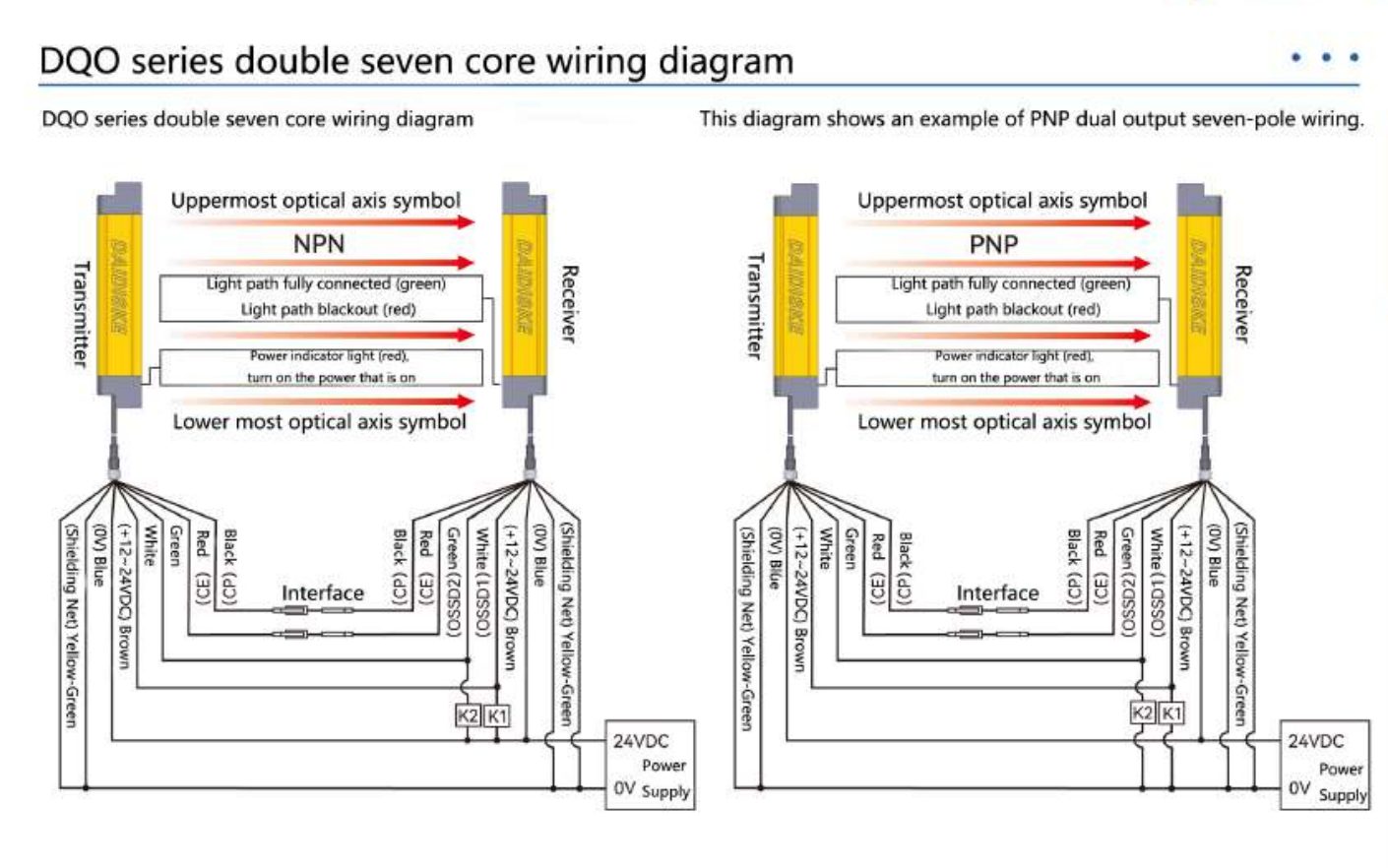
The DQO series supports redundant design. It is generally recommended to use dual-output wiring to comply with international safety standards. The following example uses NPN dual-output mode:
1. Transmitter Wiring Steps
- Power Connection: Brown wire to 24VDC, blue wire to 0V.
- Synchronization Connection: The black wire (CP) must connect to the receiver's black wire — this is essential for achieving “blind-spot-free” synchronized monitoring.
- Auxiliary Signal: Connect the red wire (CE) according to controller requirements, typically used for self-test feedback between systems.
2. Receiver Wiring Steps
- Dual-Channel Output: Connect both the white wire (OSSD 1) and green wire (OSSD 2) simultaneously to the input terminals of a safety relay or safety PLC. This dual-circuit design ensures emergency stop activation even if one line fails.
- Status Indication: The DQO series features built-in segmented indicator lights. When wired correctly, the receiver displays real-time feedback based on the status of the light beam.
III. Core Advantages of the DQO Series: No Blind Zone Monitoring
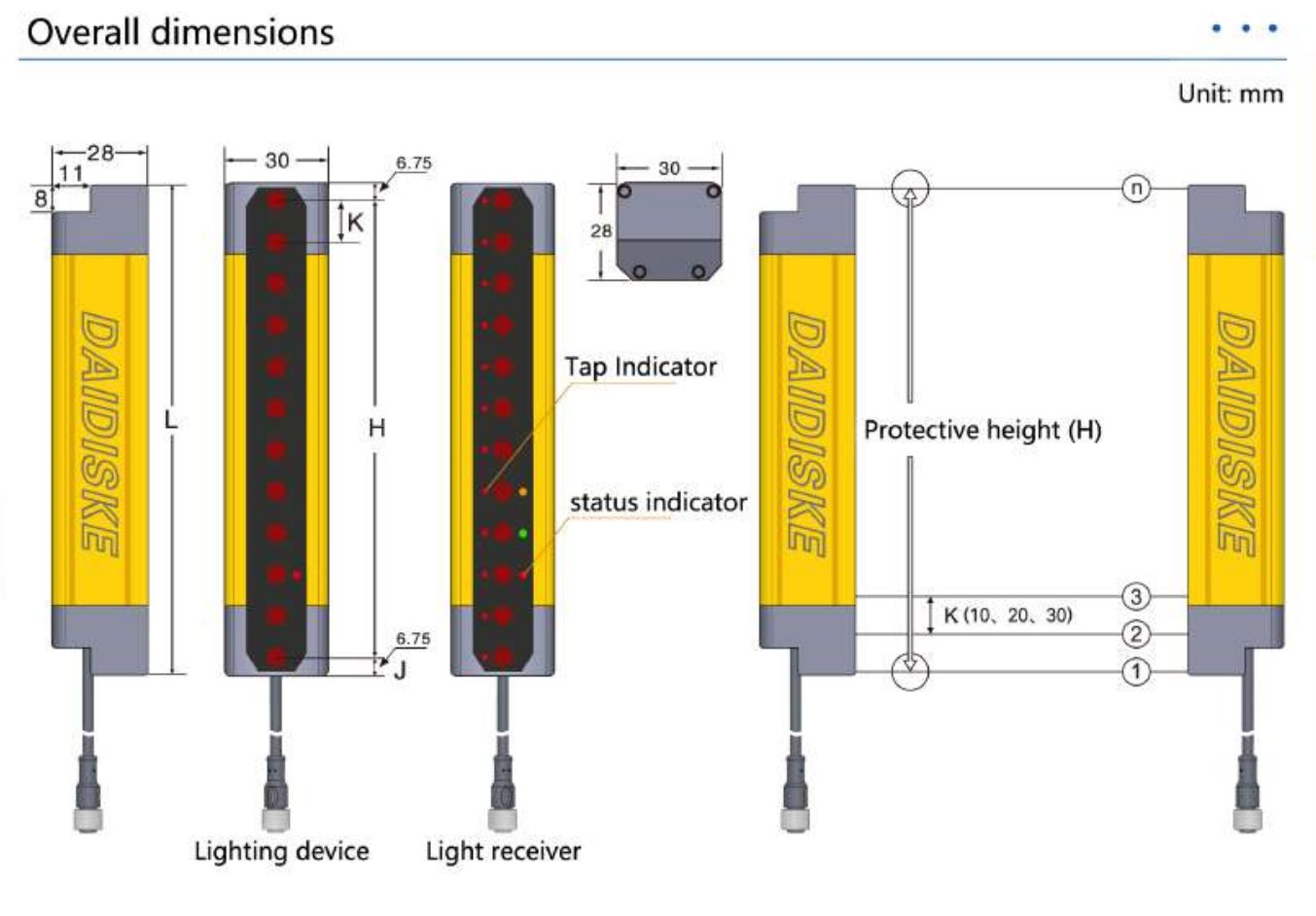
The “No Blind Zone Series” designation stems from the DQO series' optimized ratio between housing and optical lens:
- End-to-End Sensing: The protective height (H) equals the total length of the light curtain, eliminating traditional sensing dead zones at the top and bottom edges.
- Ultra-Fast Response: Response time as low as 15ms (0.01 seconds), enabling precise interception even of small objects passing at high speeds.
- Flexible Resolution: Offers multiple resolutions — 10mm (finger), 20mm (palm), and 30mm (arm) — to meet blind-spot-free protection requirements.
IV. Installation and Commissioning Recommendations
- Shield Grounding: Due to the multiple signals transmitted via the 7-core cable, the shield must be connected to prevent interference from high-frequency equipment like inverters.
- Optical Axis Alignment: Use the DQO's built-in status indicator lights for alignment commissioning. When all optical axes are clear, the indicator turns green; if any axis is blocked or wiring is faulty, it displays red.
- Selection Notes: Choose the appropriate protective height (ranging from 120mm to 1110mm) based on your machine tool's available space.
V. Summary
The DAIDISIKE (戴迪斯科) DQO Series Safety Light Curtain delivers truly “zero-blind-spot” safety assurance for industrial environments through its meticulously designed 7-core wiring logic. During wiring, ensure the independence of the OSSD dual-channel outputs to maximize safety effectiveness.
If you encounter indicator flashing or signal inconsistencies during DQO series commissioning, please check your wiring against this guide or contact DAIDISIKE technical support for immediate assistance.