D3J 02XX Serial Port Optocoupler Pure Input Module
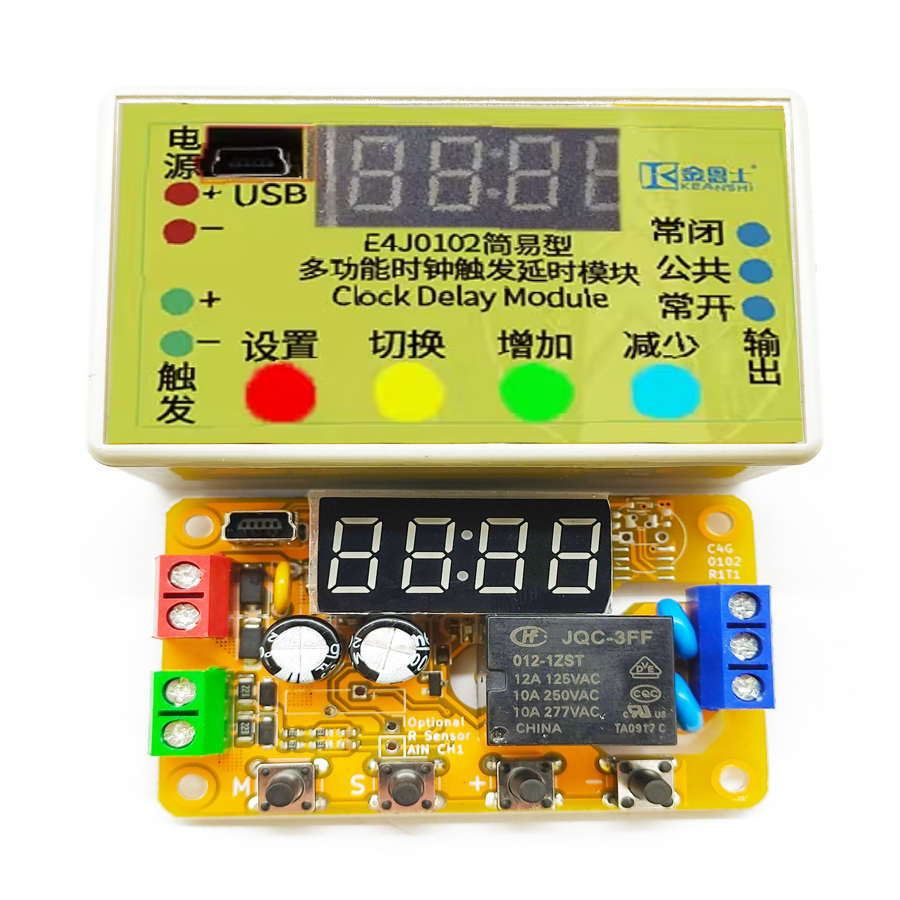
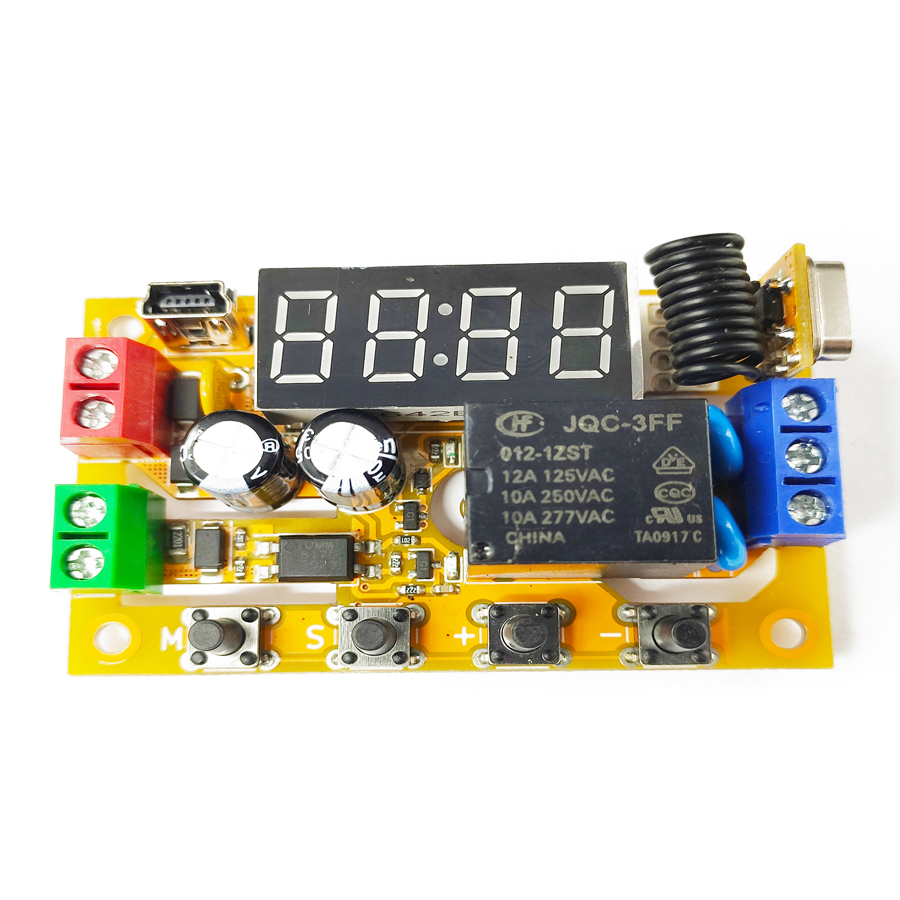
The program software adopts the shell technology. Some popular anti-virus software may have false alarm issues, please add trust. This module is a medium-power MODBUS RS-485 digital input/output module with a dedicated integrated circuit as the core. It has 2-14 fully isolated digital outputs and an additional up to 2 pulse outputs. The power supply voltage can be selected from any value between 11-28V. The default communication parameters are 9600 baud rate, 8 data bits, even parity, and 1 stop bit. The USB port on the product can also replace the RS-485 port to control the entire product and has the function of USB to serial port conversion. In situations where wiring is inconvenient, it is also equipped with an optional MODBUS-OTA wireless networking function.
Product Features
High Flexibility
Standard MODBUS-RTU RS-485 communication function, with a USB communication function included
Up to 8 fully isolated digital signal outputs, available in relay or transistor types
High Usability
Operable via RS-485 port or USB port
Can be used as an RS-485 slave or as an RS-485 master when connected to USB
Comes with dedicated upper computer software for easy configuration of module parameters
Additional support for MODBUS-ASCII format for convenient communication with some touch screens and PLCs
AT commands with a character interface for quick and easy setup of simple applications
High Expandability
Up to 2 additional high-speed pulse outputs for PWM speed control or PTO motor drive
Optional wireless networking MODBUS-OTA function
High Reliability
Reverse power connection, overcurrent, surge, and automotive load dump protection for power supply
Reverse connection, surge, and electrical isolation protection for input and communication ports
Printed circuit board high-voltage side creepage distance slots strictly comply with safety regulations
This product offers an optional wireless ad hoc network MODBUS-OTA (MODBUS Over-The-Air) function, which is suitable for scenarios where there is a significant potential difference between nodes or where it is inconvenient to install an RS-485 bus. Communication uses 2.4GHz unlicensed ISM band wireless signals, with a maximum transmission power of 20dBm. The theoretical communication distance in an open area is 1000m. In practical use, the reliable straight-line communication distance is 100m. Under the conditions of the lowest air rate and maximum wireless transmission power, this wireless function can ensure reliable communication within a distance of 30m, even in the presence of strong interference and multiple turns. If the signal needs to pass through walls, the distance should be halved. Therefore, this function is suitable for open areas or single rooms. This function requires one of the products to operate in the host state or serial port subnet state and activate wireless transmission; other products with enabled wireless function can then join the MODBUS-OTA network wirelessly. Different networks are distinguished by their 128-bit keys; only by configuring the correct key can they join the same network. There may be some interference between multiple networks; the noisier the 2.4GHz signal in the same space, the greater the interference between networks. If the interference is severe, command loss or delay may occur. Considering this, the command response time of MODBUS-OTA may reach 1 second. This product can also be used in conjunction with the D3J01D1 wireless transmitter designed for insertion into a computer, in which case the wireless transmitter acts as the host. Unlike the full-function module, this wireless transmitter only has nine wireless parameter registers that can be configured, namely WRLCFG and WRKCFGn, and only the USBTCNT, USBRCNT, WRLTCNT, WRLRCNT, TCMDCNT, ZCHKCNT, PWRCNTH and PWRCNTL data statistics registers exist. All other holding registers are read as 0 and ignored when written. The input registers PRODID and VERID still exist for reading the version, with PRODID fixed at 0x3000. For more details about this wireless transmitter, please contact our company. The MODBUS-OTA provided by this product has certain real-time performance, functional safety and information security, but it does not guarantee absolute real-time, safety and reliability. In fields with high requirements for real-time performance, functional safety and information security, it is not recommended to use the MODBUS-OTA function.
Communication Configuration Description
This product is equipped with an internal USB interface, a serial interface and an optional 2.4G wireless communication interface. The configuration of these interfaces is achieved through a series of holding registers with addresses ranging from 0x0000 to 0x000E. Since these configuration information are extremely sensitive and once mistakenly changed, communication will be impossible, a security unlock is required before any modification. The security unlock is performed through the safety lock register SAFELCK located at address 0x000E. First, write the ASCII code "UL" (i.e. 0x554C) to this register, then write the configuration value to any sensitive register to be configured. After the configuration is written, SAFELCK will immediately re-lock and return to 0x0000, regardless of success or failure. Therefore, each time a sensitive register is written, SAFELCK needs to be unlocked again. Once SAFELCK is successfully unlocked, this product will re-lock it if it detects any command on the bus that targets another product, has a parity error or a CRC16 check error. To confirm whether the unlock is successful, the "Read Holding Register" command (command code 0x03) can be used to read SAFELCK to determine if the value is 0x554C. SAFELCK needs to be re-unlocked each time a register is modified; writing multiple sensitive registers at once is not recommended. All sensitive registers are only recommended to be written using the "Write Single Holding Register" command (command code 0x06); other commands are not recommended for writing.
Name Holding Register
The address of the name holding register NAME is 0x0000 in the holding register space. This register is set up for the convenience of users to query and identify the product identity and can be configured to any hexadecimal value.
Serial Port Configuration Register
The address of the serial port configuration holding register SRLCFG is 0x0001 in the holding register space. If an incorrect configuration is written to this register, the configuration will be rejected and the original configuration will remain unchanged and re-locked. By default, the configuration at factory is 9600 baud rate, even parity, 1 stop bit, and MODBUS address 0x02.
Frequently Asked Questions
What is the D3J 02XX serial port optocoupler pure input module used for?
It is a medium-power MODBUS-RTU RS-485 digital I/O module with 2-14 fully isolated digital outputs (relay or transistor) plus up to 2 high-speed pulse outputs for PWM speed control or PTO motor drive. It connects to a PLC, touch screen or PC over RS-485 or USB, making it suitable for industrial automation, remote signal acquisition and control.
Does it support both RS-485 and USB control?
Yes. The module operates as a standard MODBUS-RTU RS-485 slave, and its built-in USB port provides USB-to-serial conversion so it can be controlled directly from a computer. When connected over USB it can also act as an RS-485 master. It additionally supports MODBUS-ASCII and AT commands for quick setup with touch screens and PLCs.
What power supply and communication defaults does the module use?
The supply voltage is selectable between 11-28V DC, giving flexibility across 12V and 24V systems. The factory communication defaults are 9600 baud rate, 8 data bits, even parity, 1 stop bit, with MODBUS address 0x02. These parameters are stored in protected holding registers and can be reconfigured after a SAFELCK security unlock.
How does the optional MODBUS-OTA wireless function work?
MODBUS-OTA (Over-The-Air) replaces RS-485 wiring using the 2.4GHz ISM band at up to 20dBm. Open-area range is 1000m theoretical, with a reliable straight-line distance of about 100m, or 30m through strong interference and turns. Separate networks are isolated by 128-bit keys. It is best for open areas or single rooms and is not recommended for hard real-time or safety-critical tasks.
How are the configuration registers protected from accidental changes?
Sensitive registers (addresses 0x0000-0x000E) require a security unlock before writing. You first write the ASCII code "UL" (0x554C) to the SAFELCK register at 0x000E, then write the target register. SAFELCK auto re-locks after each write, or if a bus command for another device, a parity error or a CRC16 error is detected, preventing accidental loss of communication settings.

.jpg)