
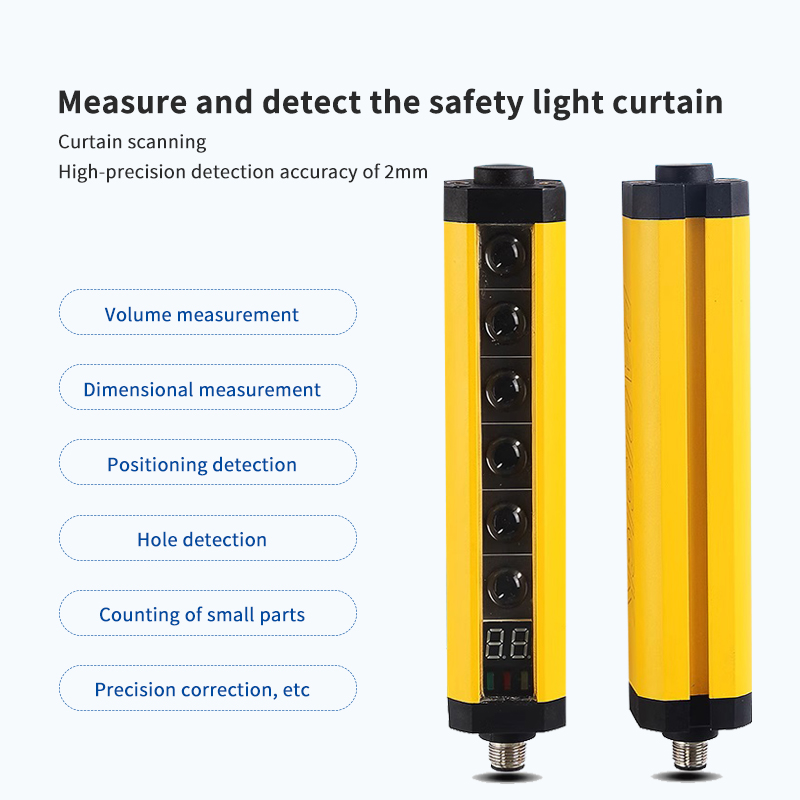
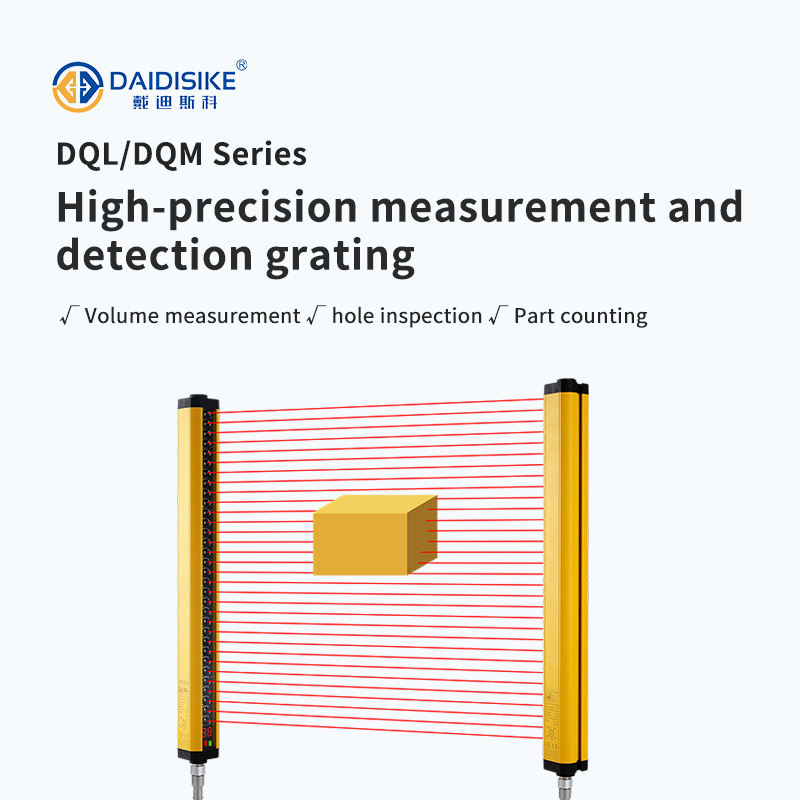
Dimension Measurement Light Curtain — Selection & Accuracy Guide (DAIDISIKE DQL/DQM)
Applies to DAIDISIKE measurement & detection gratings, models DQL-K and DQM-K series (K = beam pitch / resolution). This section explains how to choose the right resolution K and protective height H, and how to verify response time for high-speed lines.
1) Resolution K vs. Minimum Detectable Size
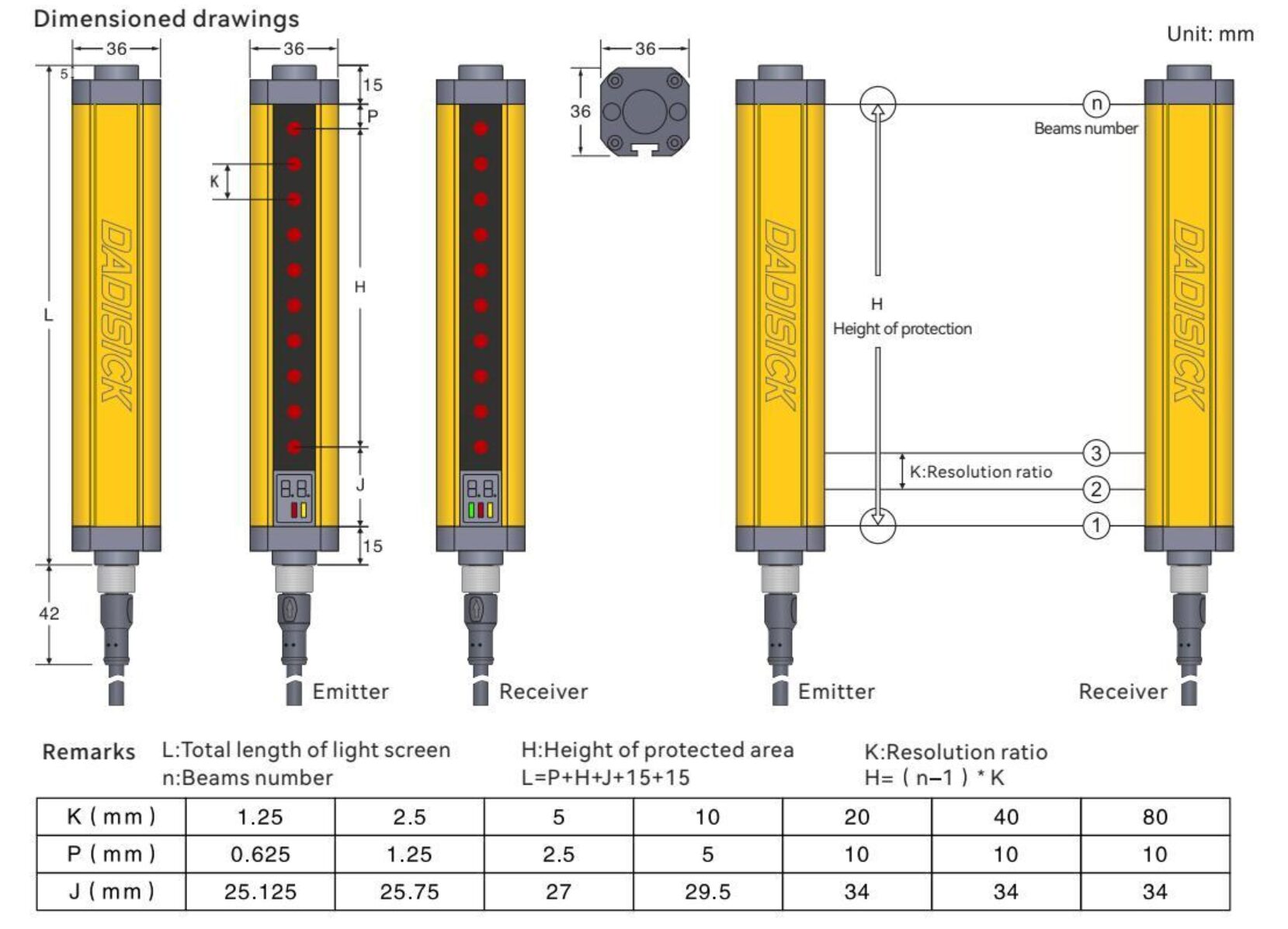
Definition. In DAIDISIKE measuring gratings, K is the beam pitch (mm). The smaller the pitch, the smaller the reliably detected rod, edge, hole, or part.
Rule-of-thumb. For opaque targets, a conservative sizing is: Minimum object size (mm) ≥ 1.2 × K. For hole/slot inspection, use Minimum hole diameter (mm) ≥ 1.5 × K to maintain stability under vibration and misalignment.
Available K options in DQL/DQM: 2.5, 5, 10, 20, 40, 80 mm (check your local datasheet for exact availability per model length).
2) How to Size Protective Height H
Protective height (active measuring window) must fully cover the target envelope plus guard margin for installation tolerances.
Sizing formula. H ≥ Target span along light curtain + 2 × K (adds top/bottom margin approximately one beam pitch each). In most DQL/DQM models, mechanical length L relates to H by: L ≈ H + 30 mm (end caps & mounting).
Select the next higher standard model length. For multi-height scenarios (e.g., mixed cartons), choose H for the largest case or deploy two graded curtains.
3) Line Speed & Response Time Check
To avoid miss-counts on fast conveyors, ensure the beam interruption time exceeds the curtain's response time.
Check. Let v be line speed (m/s) and s the object length in travel direction (mm). The single-beam dwell time is t ≈ (s + K) / (1000 × v) seconds. Require t ≥ τ, where τ is the light curtain response time. DAIDISIKE DQL/DQM typically support 0.5–5 ms; use 5 ms as a conservative design value.
When t < τ, enable anti-jitter filtering, widen K, or increase the detected span (use two beams, virtual gate, or dual-curtain crossing).
4) Quick Application Matrix (DAIDISIKE DQL/DQM)
| Resolution K (mm) | Typical minimum object | Common use cases | Recommended series |
|---|---|---|---|
| 2.5 | Ø ≈ 3–4 mm pins / small holes ≥ 4 mm | Small-parts counting, precision hole inspection, edge positioning | DQM-K2.5, DQL-K2.5 |
| 5 | Ø ≈ 6–8 mm / holes ≥ 8 mm | Pharma blister count, electronics kitting, bracket presence | DQM-K5, DQL-K5 |
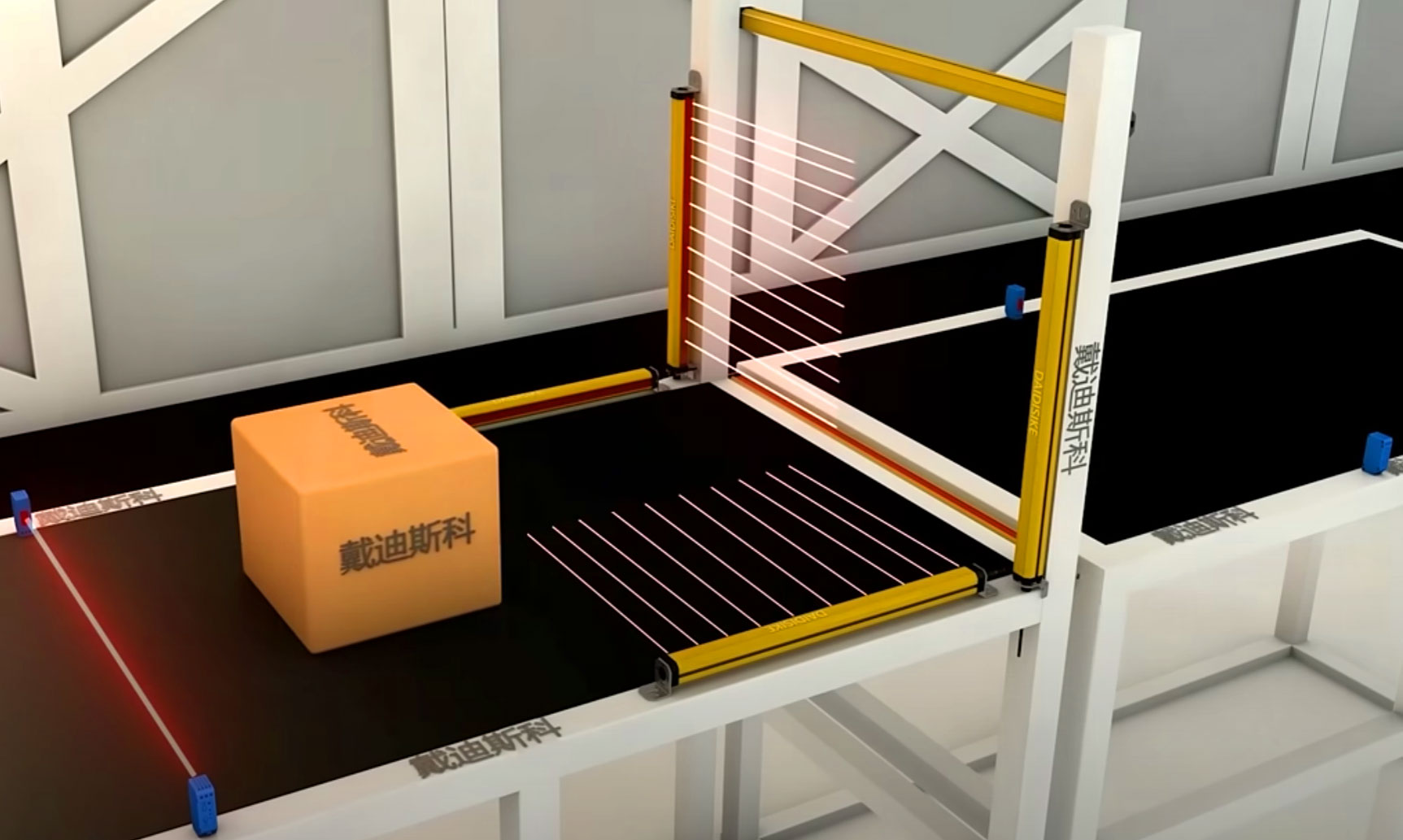
| 10 | Ø ≈ 12–15 mm | Carton dimensioning (gap detection), can/bottle lanes | DQL-K10 / DQM-K10 |
| 20 | Ø ≈ 24–30 mm | Wood diameter classing, bulky goods presence, pallet edges | DQL-K20 |
| 40–80 | Large profile edges; zone presence | Timber sorting, textile width checks, large bin detection | DQL-K40 / DQL-K80 |
Matrix is indicative; always validate with onsite samples and ambient-light/reflectance conditions.
Integrating DQL/DQM Detection Gratings with Your PLC, SCADA, and MES
DAIDISIKE DQL-K2.5/5/10/20/40/80 and DQM-K2.5/5/10/20 gratings are designed to drop into modern production lines with minimum engineering effort. This guide walks through the three integration paths — discrete I/O for stand-alone use, analog 4–20 mA / 0–10 V for traditional SCADA, and RS-485 Modbus-RTU for data-logging and MES — covering wiring, the standard register map, scaling math, and a field-tested commissioning checklist.
1) Three Ways to Use a DQL/DQM in Your Line
Stand-alone with discrete outputs. Configure the pass/fail window on the device itself, wire the two discrete outputs (Pass/Fail, Oversize) to a relay or to your machine controller, and the grating runs without a single line of PLC code. Best for retrofit projects where you only need a go/no-go signal and a hardware interlock.
Analog channel for SCADA-style trending. Switch the analog output to 4–20 mA (preferred for line lengths over a few meters or noisy environments) or 0–10 V. The PLC reads the AI channel as a continuous measured-span value in millimeters, exactly as it would read a pressure transmitter or a temperature probe. No serial port required.
Digital bus for MES and SPC. Connect the RS-485 A+/B− pair to any Modbus-RTU master and the grating exposes its raw measurement, beam-pattern data, part count, status bits, and configuration registers. This is the route for time-stamped data logging, recipe switching, OEE dashboards, and SPC control charts.
Most production lines use two paths in parallel: discrete outputs for the hardware interlock (which must respond even if the PLC is rebooting), plus the digital bus for continuous data capture into the MES. That gives you both deterministic machine safety and rich operational data without the complexity of a dedicated safety controller.
The DQL/DQM is firmware-compatible across all three modes — you don't need a different SKU. Configure on the device's button-and-display panel or push parameters over Modbus from the PLC.
2) Terminal Layout and Recommended Wiring
| Terminal | Function | Recommended Practice |
|---|---|---|
| V+ / V− | Power 24 VDC (±10%) | Ripple < 10% p-p; isolate from inductive loads |
| DO1 / DO2 | Discrete outputs (PNP or NPN, factory-selected) | Wire to PLC digital inputs for Pass/Fail, Part-Present, Oversize |
| AO | Analog out (selectable 4–20 mA or 0–10 V) | Linear-scaled to the measured span (mm) or part count window |
| A+ / B− | RS-485 Modbus-RTU | Half-duplex; 120 Ω termination on the two longest physical ends |
| SG | Signal ground / shield | Bond shield at the cabinet end only — never both ends |
Cable tips. Use twisted-pair shielded cable for the RS-485 pair. Terminate the two longest physical ends of the bus with 120 Ω, and add fail-safe bias resistors at the master end (typically 680 Ω pull-up to A+, 680 Ω pull-down to B−) so the bus never floats in an indeterminate state between transmissions.
Modbus defaults out of the box: slave address 1, baud rate 9600, data bits 8, parity None, stop bits 1. Change via the device panel or by writing to the corresponding holding registers if your line uses a different serial configuration.
3) Standard Modbus Register Map
All registers are 16-bit unsigned integers in the standard Modbus holding-register space, accessible with function code 03 (read) and 06 (write single). Multi-register reads with function code 16 are also supported.
| Address | Access | Name | Format | Notes |
|---|---|---|---|---|
| 40001 | R | Model code | UINT16 | 0x100 = DQL, 0x200 = DQM |
| 40002 | R | Resolution K (×10) | UINT16 | 25 = 2.5 mm pitch, 50 = 5.0 mm pitch, 100 = 10 mm, … |
| 40010 | R | Measured span (mm×10) | UINT16 | Example: 3285 = 328.5 mm |
| 40012 | R | Part count | UINT16 | Counts blocked-beam events; rolls over at 65535 |
| 40014 | R | Status bits | UINT16 | Bit 0 = OK, 1 = Oversize, 2 = Undersize, 3 = Error |
| 40020 | R/W | Gate mode | UINT16 | 0 = Free-run, 1 = Window, 2 = Edge-triggered |
| 40021 | W | Reset counter | UINT16 | Write 0xA55A to clear the part count |
Two real-world tips: (a) Span values are scaled ×10 in the register so 328.5 mm reads as 3285. Divide by 10 in your PLC to get millimeters as a real. (b) The part counter rolls over at 65535. Either reset it explicitly on shift change (write 0xA55A to 40021), or compute deltas between reads so a rollover only loses one cycle.
Maps may vary slightly by firmware version. Contact DAIDISIKE technical support with your exact model and length and they'll send the matching register list.
4) Tested PLC and SCADA Platforms
Any controller that speaks standard Modbus-RTU over RS-485 will talk to a DQL/DQM. The platforms below are confirmed working in the field by DAIDISIKE customers:
| Brand | Series / Module |
|---|---|
| Siemens | S7-1200, S7-1500 (CM PtP module or RS-485 add-on) |
| Mitsubishi | FX5U, FX3U-485-BD, iQ-R RJ71C24 |
| Omron | NJ/NX-1P, CJ2M, CP1H with SCB unit |
| Allen-Bradley | CompactLogix L1/L2, MicroLogix 1400, Micro850 |
| Schneider | M221, M241, M580 with serial line module |
| Delta | DVP-SE / DVP-EH3 / AS300 series |
| Inovance | H5U, AM600 with RS-485 port |
| Beckhoff | TwinCAT 3 + EL6021 serial terminal |
| Any platform | RS-485 ↔ Ethernet/PROFINET/EtherCAT gateway |
Older controllers without a built-in serial port reach the grating through any common RS-485 ↔ Ethernet/IP, ↔ PROFINET, or ↔ EtherCAT gateway (Moxa MGate, HMS Anybus, Inovance GL10, etc.). The DQL/DQM looks like a standard Modbus slave from the gateway's perspective.
5) Analog Output Scaling — From AI Counts to Millimeters
The analog channel is linear over the configured measuring window. If you set the upper limit (H_MAX_mm) to, say, 500 mm, then a fully-clear sensor outputs 20 mA (or 10 V) and a 250 mm part shows up as 12 mA (or 5 V). The exact AI-count ↔ engineering-unit math depends on the resolution of your AI card:
- 4–20 mA on Siemens S7-1500 (16-bit, 5530..27648 counts): SPAN_mm = (AI_raw − 5530) × H_MAX_mm ÷ 22118. Anything below 5530 indicates a broken loop and should trigger a maintenance alarm.
- 4–20 mA on Allen-Bradley (16-bit, 6242..31208 counts): SPAN_mm = (AI_raw − 6242) × H_MAX_mm ÷ 24966.
- 0–10 V (0..27648 counts): SPAN_mm = AI_raw × H_MAX_mm ÷ 27648.
- Voltage-only AI card reading a 4–20 mA loop: wire a precision 250 Ω shunt resistor across the loop to convert it to 1–5 V, then scale from there.
Why prefer 4–20 mA over 0–10 V on a real line. The current loop is immune to voltage drop over long cables, has built-in open-loop fault detection (a broken cable reads 0 mA, not 4 mA), and tolerates ground potential differences between the device and the cabinet far better than voltage. Reach for 0–10 V only when the cable run is short and the AI card is already wired for voltage.
Enable median or moving-average filtering on the AI channel if the target vibrates — but keep the window short enough that the measurement still resolves within your takt budget. Never share AI commons with high-current inductive loads (servo drives, contactors, soft starters); route the analog wiring on its own and star-ground at the cabinet.
6) MES and Data-Logging Patterns
For SPC charts, OEE dashboards, and traceability, the typical architecture polls the DQL/DQM at the line takt rate (one cycle per part) and writes each measurement to a database or CSV with a UTC timestamp, the active recipe ID, and the lot/serial number. Three common implementation shapes:
- PLC-as-master, MES pulls from PLC tags. The PLC polls the grating over Modbus, copies span, count, and status into a tag block, and the MES (Ignition, Wonderware, FactoryTalk, Kepware-fed historian) reads those tags over OPC-UA. Best when you already have an SCADA in place — no extra serial port needed on the IPC.
- IPC-as-master, direct serial. An industrial PC with a USB-to-RS485 adapter polls the grating directly with Python (pyModbus), Node-RED, or a vendor's data-logging app, and writes to InfluxDB, TimescaleDB, MySQL, or a flat CSV. Useful for adding measurement traceability to a line that doesn't have a full SCADA stack.
- Edge gateway with native MQTT. A gateway like the Moxa UC-2100 or Advantech WISE-2410 polls Modbus locally, transforms the data on the edge, and publishes to MQTT for cloud or on-prem MES ingestion (Sparkplug B is a common payload spec). Best when the line is remote or when several lines feed the same central analytics platform.
For any of these, sampling at the line takt — typically 60 to 600 cycles per minute — is well within Modbus-RTU's bandwidth at 9600 baud. If you're polling more than four DQL/DQM units on a single bus at very high cycle rates, step the baud rate up to 19200 or 38400 to keep the bus utilization comfortable.
7) Commissioning Checklist for a New Line
Use this list when installing a DQL/DQM on a new station. Each item is the failure mode that bites the most often in the field.
- ✓ RS-485 polarity. A+ on the grating to A+ on the PLC, B− to B−. Swap A and B if the master logs CRC errors on every read.
- ✓ Termination resistors. 120 Ω on the two farthest ends of the bus only — not on every drop. Add fail-safe bias at the master.
- ✓ Modbus sanity read. The master reads register 40001 and gets the expected model code (0x100 = DQL, 0x200 = DQM). Register 40002 reads the K value matching your hardware label.
- ✓ Pass-the-rod test. Slide a known-good gauge block through the beam. Span readout in mm matches the gauge block within ±1 K (one beam-pitch step). If not, re-check optical alignment between emitter and receiver.
- ✓ Status bits toggle. A larger test piece flips the Oversize bit; a smaller one flips Undersize. The Error bit stays at 0 during normal operation.
- ✓ Analog channel calibration. Compare the AI span value (after scaling) against the digital span value over Modbus. They should agree to within the AI card's resolution. If they don't, the AI scaling math is off — re-check H_MAX_mm and the count-range constants.
- ✓ Cycle-time validation. At the actual line speed, the beam dwell time is at least the configured response time × 2. If the line is too fast, increase the scan rate (a firmware parameter) or shorten the filter window.
- ✓ MES log spot-check. Run the line for 100 cycles, then open the data store and confirm timestamps, span, count, and status are populated for every cycle with no gaps.
8) For Engineers — Reference Code Snippets
The minority of visitors who want to copy/paste working code can expand the two blocks below. Most integrators won't need these — the standard Modbus libraries on every modern PLC already include example function blocks for reading holding registers.
PLC — Structured Text (IEC 61131-3) Modbus master
// DAIDISIKE DQL/DQM Modbus Read (ST), generic master FB
// Assumes a library FB 'MB_Master' with .Execute, .ReadHoldingRegs, .WriteSingleReg
VAR
  mb         : MB_Master;
  readOK     : BOOL;
  regs       : ARRAY[0..9] OF UINT;   // buffer for 10 holding registers
  modelCode  : UINT;  // 40001
  k_x10      : UINT;  // 40002
  span_x10   : UINT;  // 40010
  count      : UINT;  // 40012
  status     : UINT;  // 40014
END_VAR
// Init (once): configure serial port of COMx to 9600-8-N-1, RTU mode
// mb.Port := COM1; mb.Baud := 9600; mb.Parity := 0; mb.StopBits := 1; mb.SlaveAddr := 1;
mb.ReadHoldingRegs(Slave:=1, StartAddr:=40001, Quantity:=10, pData:=ADR(regs));
readOK := mb.Execute();
IF readOK THEN
    modelCode := regs[0];
    k_x10     := regs[1];
    span_x10  := regs[9];
    count     := regs[11];
    status    := regs[13];
    // Reset counter when DO2 (oversize) goes high → write 0xA55A to 40021
    IF (status AND 2#0000_0010) <> 0 THEN
        mb.WriteSingleReg(Slave:=1, Addr:=40021, Value:=16#A55A);
        mb.Execute();
    END_IF;
END_IF;
Each PLC brand names its Modbus FBs differently (MB_MASTER / MODBUS_RTU / MBUS). Map the StartAddr and buffer indices to your vendor's convention (zero-based vs. 40001-based).
IPC / MES — Python (pyModbus) logging snippet
# DAIDISIKE DQL/DQM Modbus-RTU readout (Python 3.x)
from pymodbus.client import ModbusSerialClient
from datetime import datetime
import csv

client = ModbusSerialClient(
    method="rtu", port="/dev/ttyUSB0",
    baudrate=9600, parity="N", stopbits=1, bytesize=8, timeout=0.2,
)
assert client.connect(), "Cannot open serial port"

with open("dqm_log.csv", "a", newline="") as f:
    w = csv.writer(f)
    rr = client.read_holding_registers(address=0, count=14, slave=1)
    if rr.isError(): raise RuntimeError(rr)
    regs = rr.registers
    ts = datetime.utcnow().isoformat()
    w.writerow([ts, regs[0], regs[1] / 10.0, regs[9] / 10.0, regs[11], regs[13]])
Use an industrial USB-RS485 adapter or a native RS-485 port. On Windows, change port="/dev/ttyUSB0" to port="COM3" (or whichever COM your adapter enumerates as).